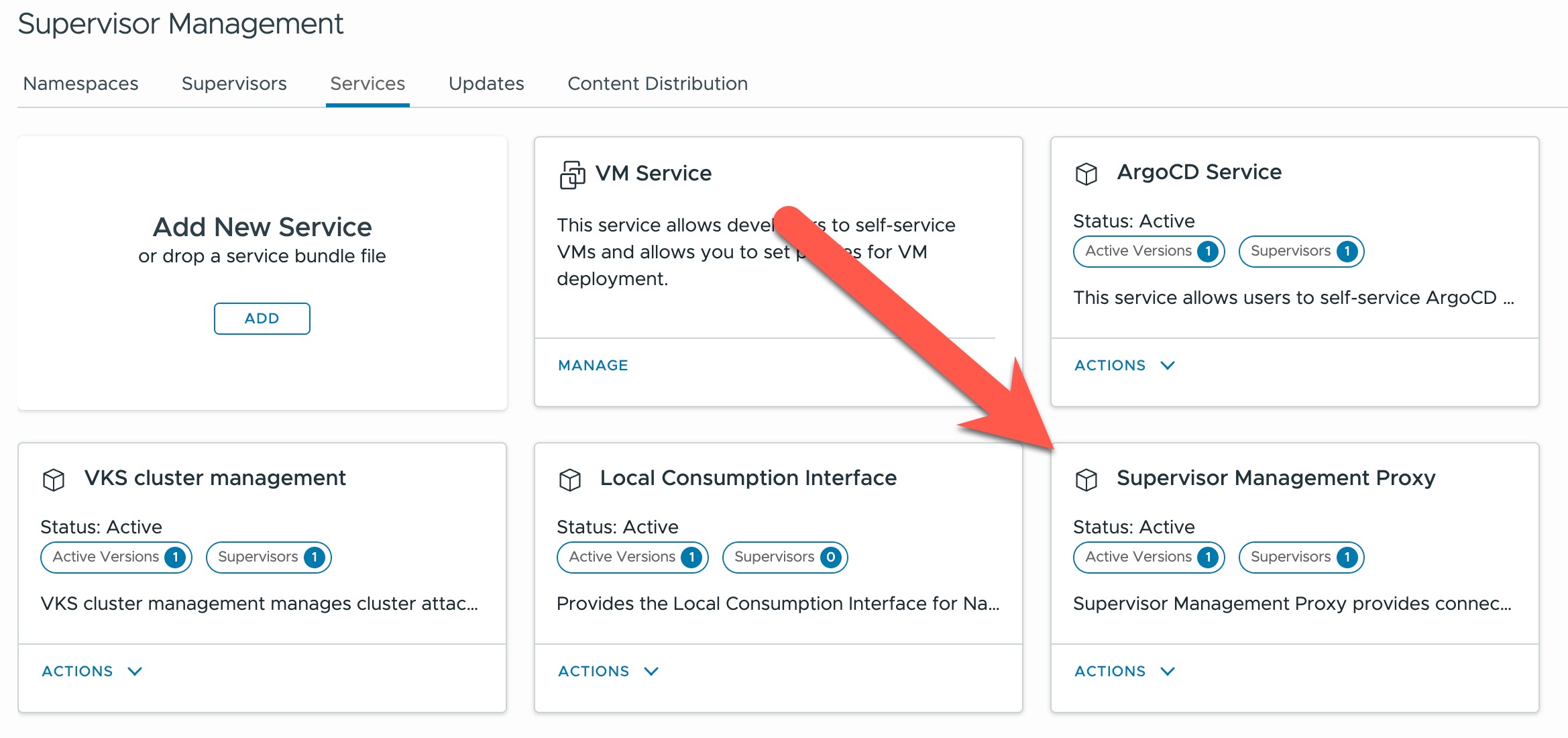
If you’re running VKS clusters in a VCF 9 environment with NSX networking and want to monitor them using VCF Operations, the Supervisor Management Proxy Service is a critical component. This service acts as a bridge between your VKS clusters and the monitoring infrastructure, enabling visibility into workload cluster health and performance. In this post, I’ll walk through the installation process with a specific focus on letting the Supervisor automatically allocate IP addresses from the external pool.
Prerequisites
Before installing the Supervisor Management Proxy Service, ensure the following requirements are met:
- VMware Cloud Foundation 9.0 or later
- NSX 4.1 or later installed and operational
- Supervisor configured with NSX networking for Antrea-NSX adapter use
- Manage Supervisor Services privilege assigned in vCenter
I’m using the following configuration in my lab:
- VMware Cloud Foundation 9.0.2
- Supervisor configured with NSX networking for Antrea-NSX adapter use
- Administrator privilege assigned in vCenter
Important: NSX Management Proxy Migration
If you’re upgrading from an earlier VCF version, be aware that the NSX Management Proxy has been merged into the Supervisor Management Proxy. These two services cannot run simultaneously on the same Supervisor. Installing the Supervisor Management Proxy while the legacy NSX Management Proxy is still active will create conflicts.
If you currently have the NSX Management Proxy Supervisor Service running, you must migrate to the Supervisor Management Proxy before proceeding. The good news is that the migration preserves your existing configuration—the external IP of the LoadBalancer service remains the same after migration, so your existing VKS clusters won’t require reconfiguration.
For detailed migration steps, refer to the Migrating NSX Management Proxy to Supervisor Management Proxy KB article on the Broadcom Support Portal.
Download Required Files
Navigate to the Broadcom Support Portal and download the following YAML files which can be found in:
My Downloads => Search for Supervisor => vSphere Supervisor Services => Supervisor Management Proxy
- supervisor-management-proxy.yml – Service definition manifest
- supervisor-management-proxy-data-values.yml – Configuration properties
Register the Supervisor Service
The first step is registering the service with vCenter. This makes the Supervisor Management Proxy available for deployment across your Supervisors. Follow the standard process for adding a Supervisor Service to vCenter using the downloaded supervisor-management-proxy.yml file.
Configure Data Values
The key to a smooth installation is properly configuring the data values file before deployment. Here’s the configuration I’m using in my lab:
# Configuration for Antrea-NSX Adapter
# List of NSX Manager IPs
nsxManagers:
  - "10.10.1.216"
  - "10.10.1.217"
  - "10.10.1.218"
# Optional. If not defined, nsxSvcLoadBalancerIP will be allocated from the Supervisor's loadBalancer IP pool.
# If it's defined, it should be in the range defined in the Supervisor's loadBalancer IP pool.
# It is the proxyIP which is used by Antrea-NSX adapter in TKG workload cluster to reach NSX manager.
nsxSvcLoadBalancerIP: ""
Understanding the Configuration
nsxManagers: This field requires the actual IP addresses of your NSX Manager nodes. If you’re running an NSX Management cluster (which you should be in production), include all three IP addresses. Do not use the virtual IP address (VIP) here—the service needs direct access to each manager node.
nsxSvcLoadBalancerIP: This is where the magic happens. By leaving this field blank (empty string), you’re instructing the Supervisor to automatically allocate an IP address from the external IP pool. This pool is defined by the Ingress CIDR block configured when you set up the workload network on your Supervisor. This allocated IP becomes the proxy endpoint that the Antrea-NSX adapter in your VKS workload clusters will use to communicate with NSX Manager.
The automatic allocation approach has several advantages. First, it eliminates the risk of IP conflicts—the Supervisor knows which addresses are already in use and will select an available one. Second, it simplifies the installation process by removing the need to manually track and assign IP addresses. Third, it ensures the allocated IP falls within the correct CIDR range without manual verification.
Deploy the Service
With the data values file configured, install the Supervisor Management Proxy service on your Supervisor following the standard installation procedure for Supervisor Services. The deployment will create a dedicated svc-supervisor-management-proxy vSphere Namespace where the proxy components run.
Verify the Installation
Once deployed, you can verify the installation and view the automatically allocated IP address:
$ kubectl get services -n svc-supervisor-management-proxy -o wide
NAME                              TYPE           EXTERNAL-IP      PORT(S)
supervisor-management-proxy-svc   LoadBalancer   192.168.27.15    443/TCP
The EXTERNAL-IP column shows the IP address that was automatically allocated from your Supervisor’s external IP pool. You can also view this information in the vCenter UI by navigating to the Network tab of the svc-supervisor-management-proxy namespace.
Next Steps: Enable Antrea-NSX Adapter
With the Supervisor Management Proxy service running, you’re ready to enable the Antrea-NSX adapter in your VKS clusters. This adapter allows your clusters to register with NSX Manager as Container Clusters, enabling advanced features like label-based Distributed Firewall rules and comprehensive network visibility. Checkout this blog for assistance with vSphere Kubernetes Service VKS 3.6 and Kubernetes v1.35 and this post for prior VKS versions.
The proxy service ensures that monitoring data flows correctly between your workload clusters and VCF Operations, even when management and workload networks are isolated. This isolation is common in production environments and the proxy bridges that gap seamlessly.
Troubleshooting Tips
If you encounter issues during installation, verify the following:
- Check that all NSX Manager IP addresses are reachable from the Supervisor
- Confirm that your external IP pool has available addresses
- Verify that the Supervisor has the necessary privileges to create services in the proxy namespace
- Review the proxy pod logs using kubectl logs in the svc-supervisor-management-proxy namespace
Final Thoughts
The Supervisor Management Proxy Service is a straightforward component to deploy, but its role in enabling comprehensive VKS cluster monitoring is significant. By leveraging automatic IP allocation, you simplify the installation process while ensuring proper network configuration. This service lays the groundwork for both VCF Operations monitoring and Antrea-NSX adapter integration, making it an essential early step in building out your VKS infrastructure.
Special thanks to Claude (Anthropic) for assistance with content development and technical writing.
 Cloud Management | Jon Schulz
Leave a comment