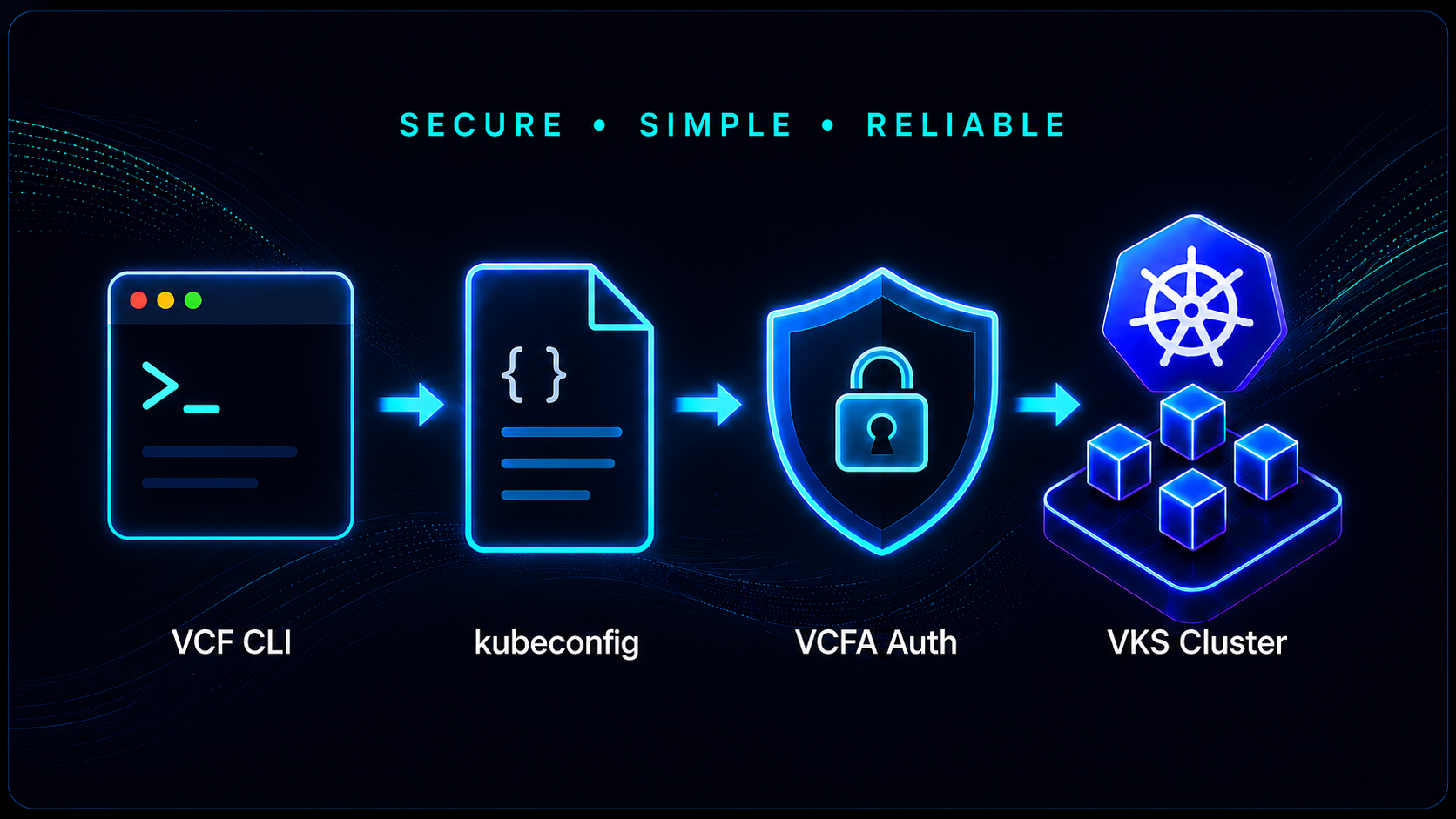
One of the nice improvements in VCF Automation (VCFA) 9.1 is the ability to access a vSphere Kubernetes Service (VKS) cluster directly from the command line while continuing to use VCFA for authentication and tenant/project context. With the VCF CLI, you can establish a VCFA context, register the VCFA JWT authenticator with the VKS cluster, and automatically add the cluster to your existing kubeconfig. This avoids having to maintain separate kubeconfig files or manually merge cluster configurations. In this post, I’ll walk through the process I used to access a VKS cluster deployed through an All Apps organization.
Understanding the Workflow
There are several pieces involved in the authentication flow:
- VCF CLI context – Establishes the connection to the VCF Automation tenant and project
- VCFA API token – Authenticates the VCF CLI to the tenant
- VCFA JWT authenticator – Enables the VKS cluster to use VCFA-backed authentication
- Kubeconfig – Provides the Kubernetes context used by kubectl to access the cluster
The useful part of this workflow is that the VCF CLI can add the VKS cluster directly to your standard kubeconfig. Once complete, accessing the cluster becomes the same as switching between any other Kubernetes contexts with kubectl.
Prerequisites
Before proceeding, ensure the following are available:
- VCF Automation 9.1 All Apps organization
- A deployed VKS cluster
- VCF CLI installed
- kubectl installed
- A VCFA API token
- Access to the VCFA tenant and project containing the VKS cluster
Step 1: Obtain the VCFA CA Certificate
In my environment, the VCF CLI required the CA certificate used to validate the VCF Automation endpoint. Since the certificate was not already available on the Linux system where I was running the VCF CLI, I retrieved the certificate chain directly from the VCFA endpoint and saved the appropriate CA certificate as ca.pem.
First, retrieve the certificate chain presented by the VCFA endpoint. The following produces a PEM bundle containing all certificates returned by VCFA, which is often exactly what you want for a private/internal CA chain.
openssl s_client -connect vcfa2.quadroolabs.com:443 -servername vcfa2.quadroolabs.com -showcerts < /dev/null 2>/dev/null | sed -ne '/-BEGIN CERTIFICATE-/,/-END CERTIFICATE-/p' > ca.pemBefore using the certificate, verify its subject and issuer:
openssl crl2pkcs7 -nocrl -certfile ca.pem | openssl pkcs7 -print_certs -nooutStep 2: Create an API Token for VCF CLI Access
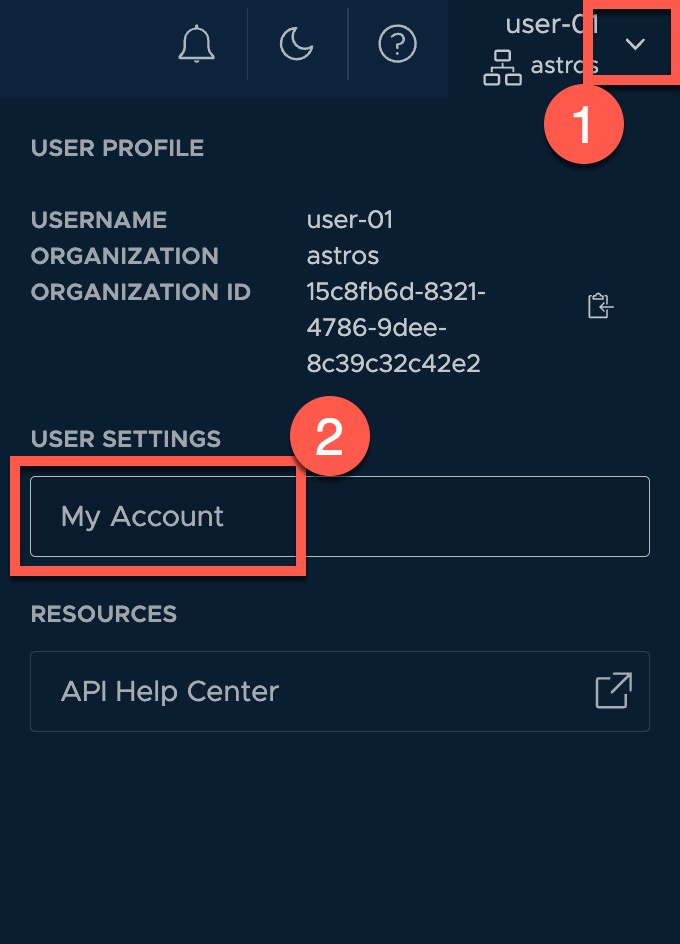
The VCF CLI authenticates to VCF Automation using an API token associated with the user who will be accessing the VKS cluster. The token should therefore be created while logged into VCFA as that user. In this example, I’m logged in as user-01 in the astros organization.
From the upper-right corner of the VCF Automation interface, open the user menu and select My Account.
In My Account, select the API Tokens tab and click NEW.
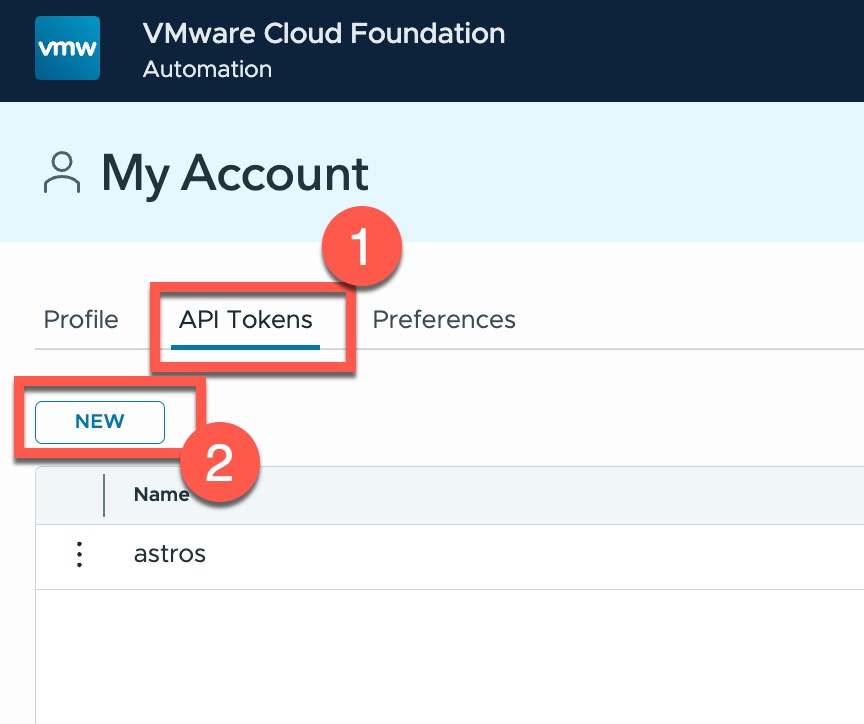
Create the API token and copy the generated value. Since the token is used as the credential for the VCF CLI, store it securely and avoid placing it directly into shell history or scripts.
For the commands in this post, I stored the token in an environment variable which can then be referenced when creating the VCFA context:
export VCF_CLI_VCFA_API_TOKEN='<VCFA API token>'This ensures that subsequent VCF CLI operations are performed using the identity and permissions of the VCFA user who created the token.
Step 3: Create the VCFA Context
Next, create a VCF CLI context for the VCF Automation tenant. In my environment, the VCFA endpoint is vcfa2.quadroolabs.com and the tenant is named astros.
vcf context create vcfa \
  -e vcfa2.quadroolabs.com \
  -t cci \
  --api-token ${VCF_CLI_VCFA_API_TOKEN} \
  --tenant-name astros \
  --ca-certificate ca.pem
The API token is stored in an environment variable rather than being entered directly on the command line. The ca.pem file provides the CA certificate required to validate the VCFA endpoint.
Step 4: Select the Tenant and Project Context
After creating the VCFA context, switch to the tenant and project containing the VKS cluster. I use the following commands to ensure that I find and then use the proper context:
vcf context listFind the newly created VCFA context and copy the tenant namespace and project combination for the next step. In my environment the value was astros-ns-01-vhj3m:default-project.
vcf context use astros-ns-01-vhj3m:default-projectThe selected context determines which VCF Automation project and associated Kubernetes resources are used by subsequent VCF CLI commands.
You can verify the currently selected context before continuing:
vcf context currentStep 5: Register the VCFA JWT Authenticator
Before retrieving the kubeconfig, register the VCFA JWT authenticator with the VKS cluster. In this example, the cluster is named kubernetes-cluster-3s9g.
vcf cluster register-vcfa-jwt-authenticator kubernetes-cluster-3s9gThis step enables authentication to the workload cluster using the VCFA-backed identity rather than relying on a separately managed static Kubernetes credential.
Step 6: Retrieve the VKS Kubeconfig
With the authenticator registered, retrieve the kubeconfig for the VKS cluster:
vcf cluster kubeconfig get kubernetes-cluster-3s9gThe important detail here is that I did not specify the –export-file option. In this mode, the VCF CLI adds the VKS cluster configuration to the normal kubeconfig used by kubectl.
You can verify that the new context has been added:
kubectl config get-contextsIn my environment, the newly created context was:
vcf-cli-kubernetes-cluster-3s9g-astros-ns-01-vhj3m@kubernetes-cluster-3s9g-astros-ns-01-vhj3mStep 7: Switch to the VKS Cluster
Once the kubeconfig entry has been created, switch kubectl to the new VKS context:
kubectl config use-context vcf-cli-kubernetes-cluster-3s9g-astros-ns-01-vhj3m@kubernetes-cluster-3s9g-astros-ns-01-vhj3mAt this point, standard kubectl commands can be used against the VKS cluster:
kubectl get nodesExporting a Separate Kubeconfig
The VCF CLI also supports exporting the cluster configuration to a separate file. This can be useful for automation, testing, or situations where you don’t want to modify your existing kubeconfig.
vcf cluster kubeconfig get kubernetes-cluster-3s9g \
  --export-file kubernetes-cluster-3s9g-kubeconfig
When –export-file is used, the VCF CLI creates a standalone kubeconfig instead of adding the cluster to the standard configuration. kubectl must then be pointed to that file explicitly:
kubectl \
  --kubeconfig kubernetes-cluster-3s9g-kubeconfig \
  get nodes
For day-to-day administration, I prefer allowing the VCF CLI to update the normal kubeconfig. This makes switching between VKS clusters significantly easier, particularly when managing multiple clusters from the same administrative workstation.
Complete Workflow
Putting everything together, the entire process looks like this:
openssl s_client -connect vcfa2.quadroolabs.com:443 -servername vcfa2.quadroolabs.com -showcerts < /dev/null 2>/dev/null | sed -ne '/-BEGIN CERTIFICATE-/,/-END CERTIFICATE-/p' > ca.pem

openssl crl2pkcs7 -nocrl -certfile ca.pem | openssl pkcs7 -print_certs -noout

export VCF_CLI_VCFA_API_TOKEN='<VCFA API token>'

vcf context create vcfa \
  -e vcfa2.quadroolabs.com \
  -t cci \
  --api-token ${VCF_CLI_VCFA_API_TOKEN} \
  --tenant-name astros \
  --ca-certificate ca.pem

vcf context list

vcf context use astros-ns-01-vhj3m:default-project

vcf context current

vcf cluster register-vcfa-jwt-authenticator kubernetes-cluster-3s9g

vcf cluster kubeconfig get kubernetes-cluster-3s9g

kubectl config use-context vcf-cli-kubernetes-cluster-3s9g-astros-ns-01-vhj3m@kubernetes-cluster-3s9g-astros-ns-01-vhj3m

kubectl get nodes
Why This Is Useful
For administrators working with multiple VKS clusters, this workflow provides a clean transition between VCF Automation and native Kubernetes administration. VCFA remains responsible for tenant and project context and authentication, while kubectl continues to provide the familiar interface for working directly with the Kubernetes cluster.
The automatic kubeconfig integration is particularly convenient. Rather than creating a collection of individual kubeconfig files and remembering which file belongs to which cluster, each VKS cluster can simply become another context in the standard Kubernetes configuration.
Looking Forward
The combination of the VCF CLI, VCFA authentication, and standard Kubernetes tooling makes interacting with VKS clusters in VCF Automation 9.1 much more seamless. Once the initial VCFA context and JWT authentication are configured, obtaining access to a workload cluster is only a few commands. For environments with multiple tenants, projects, and VKS clusters, this approach provides a straightforward way to maintain centralized authentication while preserving the native kubectl workflow Kubernetes administrators already know.
Special thanks to Will Arroyo for his contributions and technical input on this content.


Leave a Reply