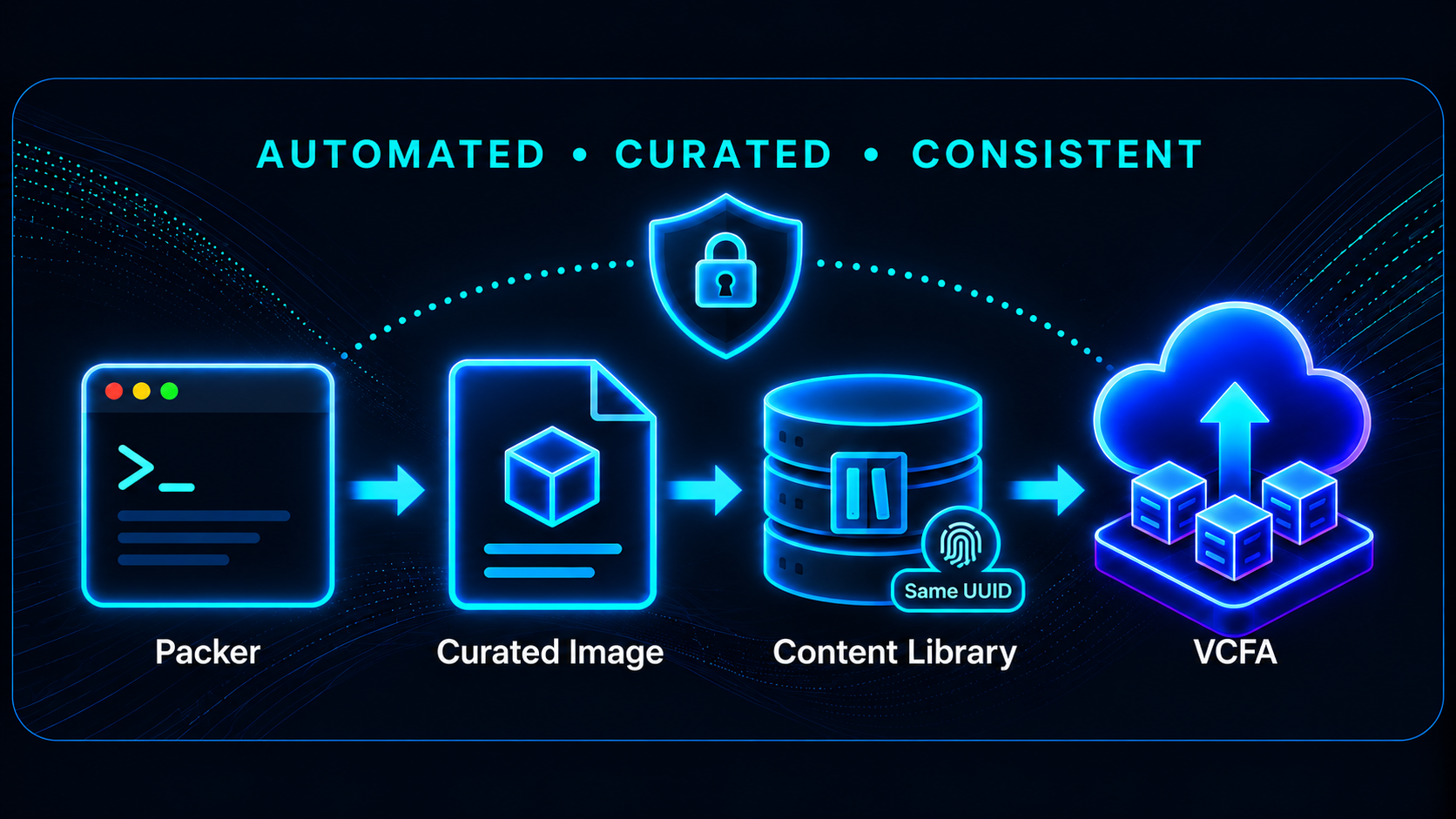
Golden images are one of the foundations of a well-oiled private cloud. They provide application teams with a consistent, supportable starting point while giving infrastructure and security teams a controlled way to maintain operating system configuration, required tooling, and security updates.
That security baseline is becoming even more important as AI changes the speed at which both defenders and attackers can operate. AI-assisted tools can accelerate vulnerability research, reconnaissance, exploit development, and attack automation. The fundamentals of patch management have not changed, but the amount of time organizations can comfortably leave known vulnerabilities unaddressed continues to shrink.
For that reason, some shops prefer to rebuild golden images with Packer on a regular cadence – typically once a month, and more frequently when critical vulnerabilities require it. The goal is simple: make sure newly deployed workloads start from a current, curated, and secure baseline rather than requiring significant remediation immediately after provisioning.
When these images are consumed through VMware Cloud Foundation Automation (VCFA), there is one additional consideration: how do you keep the image current without forcing VCFA image mappings and consumers to point to a new source every month?
That is what I wanted to validate with Packer and a vSphere Content Library OVF. If an item with the same name already exists in the Content Library, Packer updates the existing OVF instead of deleting it and creating a new entry. As a result, the Content Library item UUID is preserved.
In this post, I’ll walk through the test I used to confirm that behavior and show how it can support a more secure, automated golden-image lifecycle for VCFA.
Why Rebuild Golden Images?
Regularly rebuilding golden images moves security and configuration work earlier in the deployment lifecycle. Rather than deploying an older operating system image and immediately applying months of updates, the VM begins much closer to the current security baseline.
A Packer image pipeline can consistently apply items such as:
- Current operating system security updates
- VMware Tools
- Required packages and utilities
- SSH and operating system configuration
- Monitoring and management agents
- Cloud-init configuration
- Security hardening and configuration standards
This becomes increasingly valuable as AI-assisted security tooling makes vulnerability analysis and attack automation faster. Keeping the image baseline current helps reduce the chance that newly deployed workloads begin life with vulnerabilities that are already known and potentially easier to exploit.
There is an operational benefit as well. Less patching and configuration is required after deployment, provisioning becomes more predictable, and the image becomes a repeatable artifact generated from code rather than a VM template that has been manually maintained over time.
Keeping the VCFA Target Stable
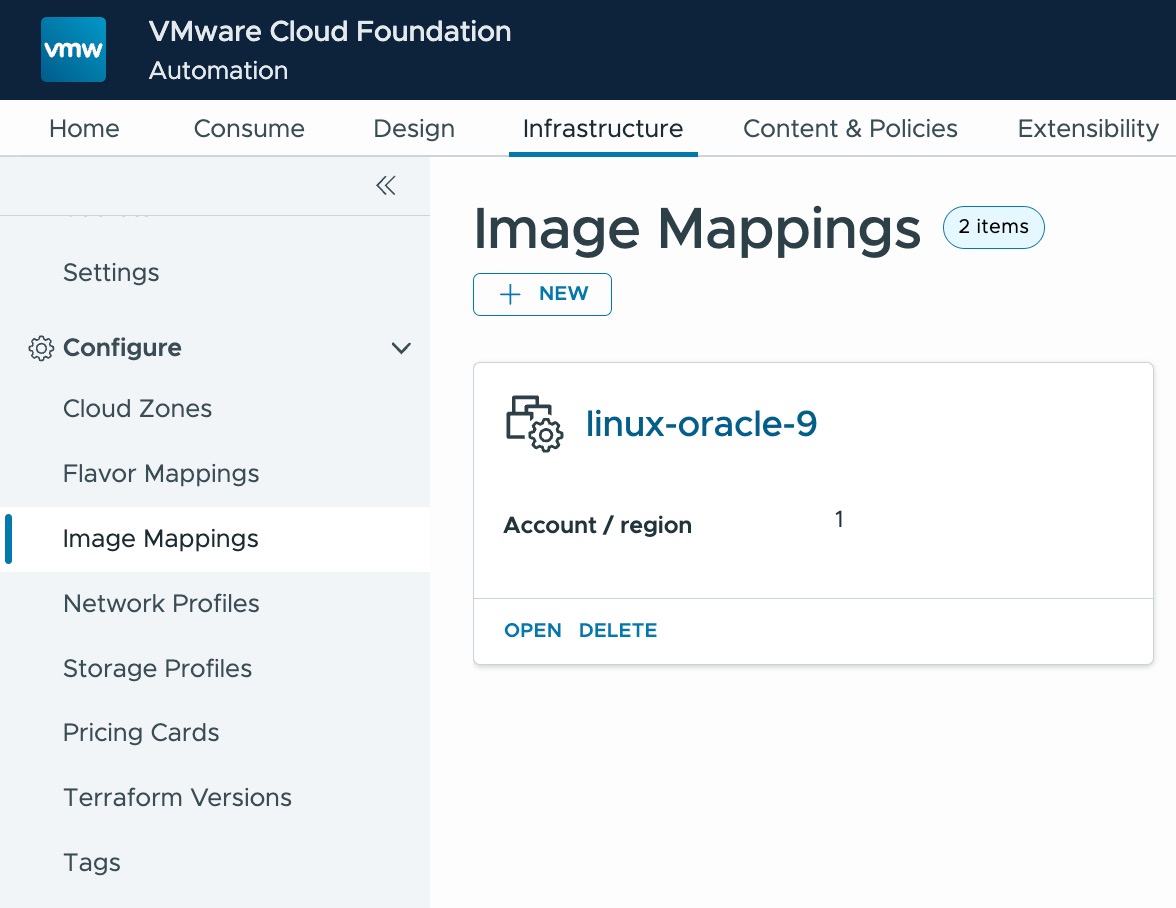
VCF Automation provides a useful abstraction between infrastructure and its consumers. Platform administrators can maintain the underlying vSphere images while application teams simply select a curated option such as Oracle Linux 9.
Ideally, refreshing that image should not require changing the source object VCFA already references. If every monthly build deletes the old Content Library item and creates a new one, the new object receives a different UUID and may require corresponding changes to image mappings.
What I wanted was a simple model: update the image, not the reference to the image.
Establishing the Baseline
Before rebuilding the image, I queried the vCenter Content Library API to retrieve the existing item UUID.
curl -sk \
  -H "vmware-api-session-id: $TOKEN" \
  -H "Content-Type: application/json" \
  -X POST \
  "https://${VCENTER}/api/content/library/item?action=find" \
  -d '{"name":"linux-oracle-9.4-v0.22.1"}' | jq .
The existing Content Library item UUID was:
d4684c40-4733-430c-833c-f30b886d2f08I also captured the Content Library metadata before starting the rebuild:
ITEM_ID="d4684c40-4733-430c-833c-f30b886d2f08"

curl -sk \
  -H "vmware-api-session-id: $TOKEN" \
  "https://${VCENTER}/api/content/library/item/${ITEM_ID}" \
  | jq '{
      name,
      library_id,
      type,
      version,
      content_version,
      metadata_version,
      creation_time,
      last_modified_time
    }'
The important baseline values were:
UUID:             d4684c40-4733-430c-833c-f30b886d2f08
Version:          1
Content Version:  2
Metadata Version: 1
Created:          2026-05-09T00:40:56.675Z
Last Modified:    2026-05-09T00:43:09.937Z
Rebuilding the Golden Image
The environment-specific Packer configuration for my lab is stored in the us-central-1 directory. I kicked off the new build with:
./build.sh us-central-1Packer rebuilt the Oracle Linux image and published the result back into the vSphere Content Library. The key: If an image name is re-used, Packer will simply update the image while keeping the UUID the same.
Did the UUID Survive?
Once the build completed, I repeated the same API queries. The name lookup returned:
[
  "d4684c40-4733-430c-833c-f30b886d2f08"
]
The UUID was exactly the same.
The updated item metadata showed that the content had changed while the original object identity was preserved:
{
  "name": "linux-oracle-9.4-v0.22.1",
  "library_id": "5243004f-8d50-4917-ba69-3f0116336a0a",
  "type": "ovf",
  "version": "2",
  "content_version": "3",
  "metadata_version": "2",
  "creation_time": "2026-05-09T00:40:56.675Z",
  "last_modified_time": "2026-09-29T22:43:56.716Z"
}
The results provided several useful indicators that this was an in-place update:
- The Content Library item UUID remained unchanged
- The Content Library ID remained unchanged
- The original creation time remained unchanged
- The item version increased from 1 to 2
- The content version increased from 2 to 3
- The metadata version increased from 1 to 2
- The last modified timestamp reflected the new build
Why This Matters for VCF Automation
This creates a useful operating model for curated images in VCFA. The platform team can regularly rebuild golden images, apply current security updates, and publish the refreshed content without changing the Content Library item identity that VCFA consumes.
There are several benefits to this approach:
- Security – New workloads begin from a more current patch and configuration baseline.
- Consistency – Every deployment starts from the same curated image.
- Automation – Packer turns image maintenance into a repeatable build process.
- Optimization – Less post-deployment patching can reduce provisioning time and operational overhead.
- Stability – VCFA can continue consuming the same Content Library item without recurring image remapping.
The important distinction is between the identity of the image and the content inside the image. VCFA consumers can continue targeting a stable, curated source while the infrastructure team keeps the operating system and security baseline current behind the scenes.
Security at Machine Speed
AI does not replace good patch management – it increases the value of doing it well. As vulnerability analysis, reconnaissance, and attack automation become faster, reducing the age of the operating system baseline becomes increasingly important.
A monthly image rebuild provides a predictable security cadence, while the same pipeline can be triggered outside the normal schedule when a critical vulnerability requires faster remediation. Because the Content Library item can retain its identity, improving the security baseline does not have to create additional work for the teams consuming that image through VCFA.
Looking Forward
The next logical step is to automate the entire lifecycle. A scheduled pipeline could rebuild golden images monthly, apply current security updates, run validation, publish the refreshed OVF, verify that the Content Library UUID remains unchanged, and confirm that the image continues to be available through VCF Automation. This provides a practical way to combine image-as-code, security maintenance, and private cloud automation while keeping the experience presented to VCFA consumers stable and predictable.
Special thanks to Joe DiBella for the inspiration and Will Arroyo for his contributions and technical input on this content.


Leave a comment