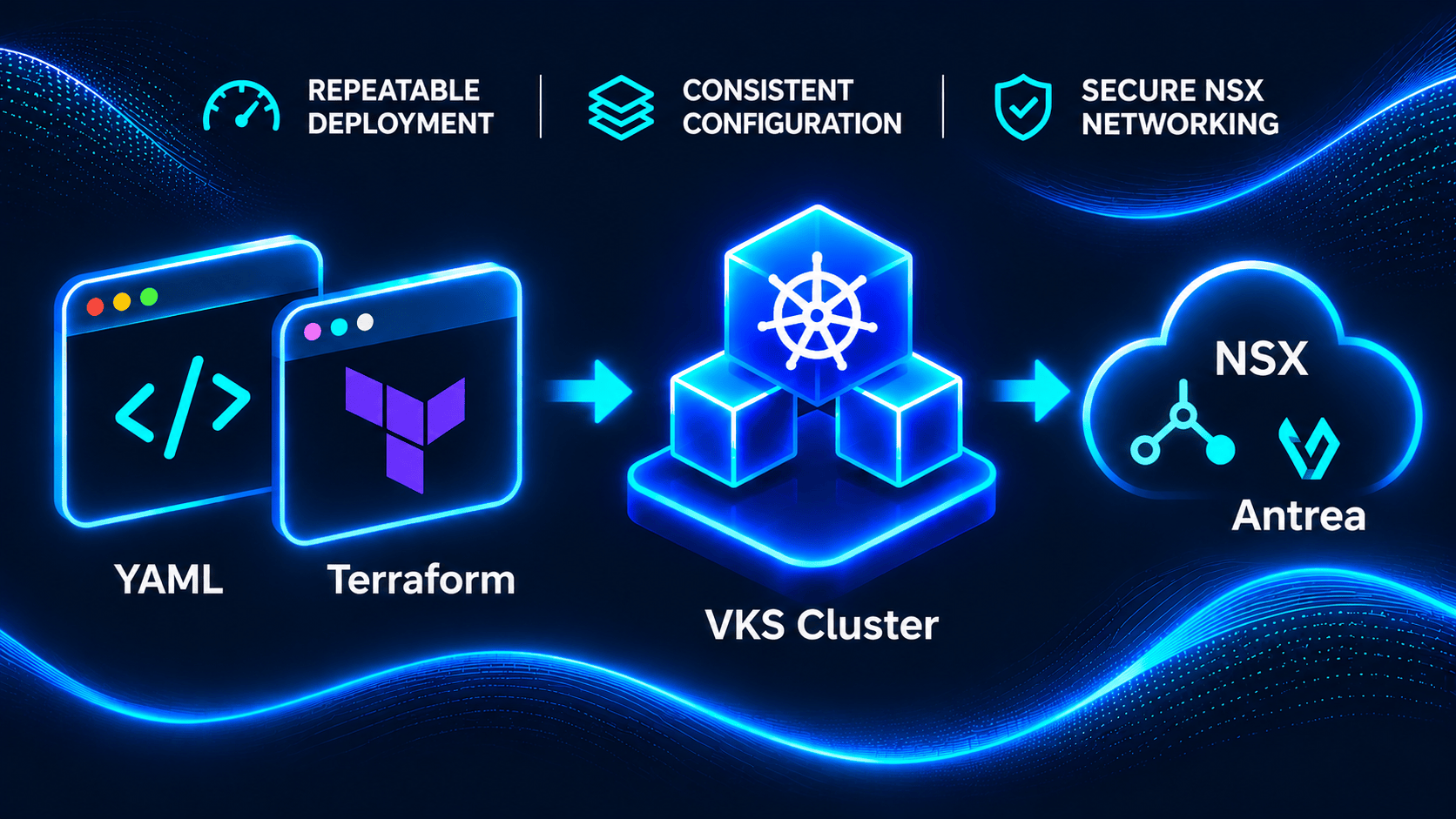
Every VKS post on this blog so far starts with a cluster that already exists. Today we fix that plot hole. In this post, I’ll take an empty vSphere Namespace all the way to three Ready nodes, with Antrea already talking to NSX from the very first boot, and then I’ll build the exact same cluster a second time with Terraform.
Why twice? The YAML version shows you what the Supervisor actually wants, and the Terraform version shows you how to keep it that way. They look almost identical on paper, but they fail in very different ways, and one of those failures had me waiting 30 minutes on a cluster that had been healthy for most of them.
This is post one of a four-part series, and both clusters, vks-blog-01 (YAML) and vks-blog-02 (Terraform), stick around for the rest of it. In this post, I’ll walk through the prerequisites, both builds, a quick NSX check and the gotchas I hit.
What You’ll Need
My lab is running VCF 9.1.1 with NSX 9.1.1 (VPC-based Supervisor networking). Here’s what was in place before I started:
- vSphere Namespace – Here called vks-ns-01, with edit permission for your user, at least one VM class (I used best-effort-small, 2 vCPU / 4 GiB), at least one storage class with quota, and a content library carrying VKS node images
- kubectl and the kubectl vsphere plugin – Both downloadable from the Supervisor landing page (https://<Supervisor Control Plane IP>). I used kubectl v1.35.10 and plugin 9.1.1.0
- Terraform – Version 1.6 or newer for the second build. I ran v1.17.0 with the alekc/kubectl v3.0.0 provider
- A jump box – Mine is Ubuntu, with credentials in a local env file sourced into the shell, so nothing secret is written to disk or typed on a command line
For reference, the Supervisor runs Kubernetes v1.34.9+vmware.1, the ClusterClass is builtin-generic-v3.6.0, the Kubernetes release (KR) for both clusters is v1.35.2+vmware.1-vkr.3 on Photon OS 5, and Antrea comes in as 2.5.1+vmware.2-tkg.1 with NSX interworking 1.5.0.
Lab note: In the screenshots, the vSphere Namespace is wkld-03-proj-01. Everywhere else in this post I use the scrubbed name vks-ns-01. Cluster names vks-blog-01 and vks-blog-02 are the same in both places.

Step 1: Log In and Look Around
First, log in to the Supervisor. The password comes from an environment variable, never from the command line:
export KUBECTL_VSPHERE_PASSWORD="<from your secret store>"   # do not hardcode
kubectl vsphere login --server supervisor.example.com \
  --vsphere-username user@example.com \
  --tanzu-kubernetes-cluster-namespace vks-ns-01 \
  --insecure-skip-tls-verify          # lab only: use a trusted cert in prod
kubectl config use-context vks-ns-01
Before writing any YAML, I like to see what the namespace actually offers. Everything here is read-only:
kubectl get virtualmachineclasses            # VM classes bound to the namespace
kubectl get storageclasses
kubectl get resourcequota -n vks-ns-01       # which storage classes actually have quota
kubectl get kr                               # Kubernetes releases (READY / COMPATIBLE)
kubectl get clusterclass -A                  # ClusterClasses available
kubectl auth can-i create clusters.cluster.x-k8s.io -n vks-ns-01
The two results that matter most, trimmed:
kubectl get kr  (READY=True, trimmed)
v1.32.x ... v1.33.x ... v1.34.1/2/8/9/11
v1.35.2+vmware.1-vkr.3   <- used here
v1.35.5, v1.35.6, v1.35.8
(not ready: v1.35.0 deactivated by v1.35.2; v1.36.x / v1.37.x incompatible with this Supervisor)

kubectl get clusterclass -A
vmware-system-vks-public   builtin-generic-v3.1.0 ... v3.6.0
vks-ns-01                  builtin-generic-v3.1.0 ... v3.3.0   <- older copies in the namespace
The newest ClusterClass lives in vmware-system-vks-public, not in my namespace, and newer KRs are already waiting for the upgrade post. Tip: kubectl get cluster <existing> -o yaml on a working cluster is the fastest way to learn variable names like vmClass and vsphereOptions.
Step 2: Pre-Create the Antrea AddonConfig
On VKS 1.35+, Antrea is configured with an AddonConfig (the old AntreaConfig now tells you it’s deprecated for 1.35+). I walked through that shift in AddonConfig Over AntreaConfig; this step is the same pattern, pared down for a first NSX-integrated cluster. The trick: the addon controller looks for an AddonConfig named <cluster>-antrea in the cluster’s namespace. If it already exists when the Cluster is created, the controller adopts it instead of creating a default one, so Antrea comes up with NSX interworking on the very first boot. No day-2 reconfiguration and no node rollout.
# Must exist BEFORE the Cluster: the addon controller adopts an AddonConfig
# named <cluster>-antrea instead of creating a default one.
apiVersion: addons.kubernetes.vmware.com/v1alpha1
kind: AddonConfig
metadata:
  name: vks-blog-01-antrea
  namespace: vks-ns-01
spec:
  values:
    antreaNSX:
      enable: true
That’s the whole thing: a minimal AddonConfig only needs antreaNSX.enable: true.
Apply it before the cluster exists:
kubectl apply -f cluster-yaml/vks-blog-01-antrea.yaml
kubectl get addonconfig vks-blog-01-antrea -n vks-ns-01
# NAME                 ADDONCONFIGDEFINITION   CLUSTER   READY     AGE
# vks-blog-01-antrea                                     Unknown   2s     <- expected: no cluster yet
Ready=Unknown is exactly what you want at this point. Once the cluster came up, the controller left my spec.values untouched and added spec.clusterName, an addonConfigDefinitionRef, finalizers and conditions, all True.
Step 3: Describe the Cluster in YAML
The cluster itself, vks-blog-01, is a single Cluster API manifest with 1 control plane node and 2 workers:
apiVersion: cluster.x-k8s.io/v1beta1
kind: Cluster
metadata:
  name: vks-blog-01
  namespace: vks-ns-01
  labels:
    blog: first-vks
spec:
  clusterNetwork:
    pods:
      cidrBlocks: ["192.168.0.0/16"]
    services:
      cidrBlocks: ["10.96.0.0/12"]
    serviceDomain: cluster.local
  topology:
    class: builtin-generic-v3.6.0
    classNamespace: vmware-system-vks-public   # the ClusterClass lives outside your namespace
    version: v1.35.2+vmware.1-vkr.3              # stored as v1.35.2+vmware.1
    controlPlane:
      replicas: 1
      metadata:
        annotations:
          run.tanzu.vmware.com/resolve-os-image: os-name=photon
    workers:
      machineDeployments:
      - class: node-pool
        name: node-pool-01
        replicas: 2
        metadata:
          annotations:
            run.tanzu.vmware.com/resolve-os-image: os-name=photon
    variables:
    - name: vmClass
      value: best-effort-small
    - name: storageClass
      value: vks-storage-policy-latebinding
    - name: vsphereOptions
      value:
        persistentVolumes:
          availableStorageClasses:
          - vks-storage-policy
          - vks-storage-policy-latebinding
          defaultStorageClass: vks-storage-policy
Note classNamespace, which points at the public namespace where builtin-generic-v3.6.0 lives, and the resolve-os-image annotation that picks Photon. Pod and service CIDRs are per guest cluster, so reusing ranges from other clusters is fine.
Step 4: Apply It and Watch It Come Alive
AddonConfig first, then a server-side dry run, which also previews the first gotcha:
kubectl apply -f cluster-yaml/vks-blog-01-antrea.yaml
kubectl apply --dry-run=server -f cluster-yaml/vks-blog-01.yaml
# Warning: cluster.x-k8s.io/v1beta1 Cluster is deprecated; use cluster.x-k8s.io/v1beta2 Cluster
# cluster.cluster.x-k8s.io/vks-blog-01 created (server dry run)
Then the real thing, plus a couple of watches:
kubectl apply -f cluster-yaml/vks-blog-01.yaml
# cluster.cluster.x-k8s.io/vks-blog-01 created

kubectl get cluster vks-blog-01 -n vks-ns-01 -w
kubectl get machines -n vks-ns-01 -l cluster.x-k8s.io/cluster-name=vks-blog-01 -w
To see exactly when each milestone happened, pull the condition timestamps:
kubectl get cluster vks-blog-01 -n vks-ns-01 \
  -o jsonpath='{range .status.conditions[*]}{.type}={.status} {.reason} {.lastTransitionTime}{"\n"}{end}'
Here’s how vks-blog-01 came together, counting from the apply:
- 1:52 – Control plane VM powered on, after one automatic placement retry
- 14:18 – VM disk promotion finished, VMware Tools running, IP reported
- 14:49 – ControlPlaneInitialized=True, and the workers start provisioning
- 18:48–18:53 – vks-blog-01-antrea adopted and valid, NSX registration created
- 23:50 – Available=True and WorkersAvailable=True
- 28:43 – AddonsReconciled=True (see the gotchas)
Available in 23 minutes 50 seconds. Before you blame NSX, look at the 1:52 to 14:18 gap: about 12 minutes of the control plane VM waiting on disk promotion (see the gotchas). My first build without the NSX integration was Available at 10:57, and the Antrea and interworking pods were Running within about 3 minutes of adoption, so NSX added no visible delay.

Step 5: Log In and Check the NSX Handshake
Same plugin, one extra flag for the cluster name:
kubectl vsphere login --server supervisor.example.com \
  --vsphere-username user@example.com \
  --tanzu-kubernetes-cluster-namespace vks-ns-01 \
  --tanzu-kubernetes-cluster-name vks-blog-01 \
  --insecure-skip-tls-verify
kubectl config use-context vks-blog-01
kubectl get nodes -o wide
Three Ready nodes on v1.35.2+vmware.1:
NAME                                         STATUS  ROLES          VERSION           OS-IMAGE                KERNEL-VERSION  CONTAINER-RUNTIME
vks-blog-01-xxxxx-xxxxx                      Ready   control-plane  v1.35.2+vmware.1  VMware Photon OS/Linux  6.1.164-2.ph5   containerd://2.2.1+vmware.2-fips
vks-blog-01-node-pool-01-xxxxx-xxxxx-xxxxx   Ready   <none>         v1.35.2+vmware.1  VMware Photon OS/Linux  6.1.164-2.ph5   containerd://2.2.1+vmware.2-fips
vks-blog-01-node-pool-01-xxxxx-xxxxx-xxxxx   Ready   <none>         v1.35.2+vmware.1  VMware Photon OS/Linux  6.1.164-2.ph5   containerd://2.2.1+vmware.2-fips
Now the part that makes this cluster special. Inside the guest, check for the interworking pods, the Antrea package and the NSX flag from the AddonConfig:
kubectl get pods -n vmware-system-antrea          # interworking (4 containers) + register
kubectl get pods -n kube-system | grep antrea     # antrea-agent per node + antrea-controller
kubectl get pkgi -n vmware-system-tkg | grep antrea
# The rendered data values are a Secret; print only the one flag you need:
kubectl -n vmware-system-tkg get secret vks-blog-01-antrea-data-values \
  -o jsonpath='{.data.values\.yaml}' | base64 -d | yq '.antrea_nsx.enable'
vmware-system-antrea interworking-xxxxxxxxxx-xxxxx 4/4 Running 4 (2m37s ago)
vmware-system-antrea register-xxxxxxxxxx-xxxxx 1/1 Running 0
kube-system antrea-agent-xxxxx (x3) 2/2 Running 0
kube-system antrea-controller-xxxxx 1/1 Running 0
vmware-system-tkg vks-blog-01-antrea antrea.tanzu.vmware.com 2.5.1+vmware.2-tkg.1 Reconcile succeeded
true <- antrea_nsx.enable (note: the rendered key is antrea_nsx, not antreaNSX)Those interworking restarts are normal. On both clusters, mp-adapter and tn-proxy each restarted 2 times while the NSX certificate was being issued, then stayed up, while ccp-adapter, election-runner and register didn’t restart at all. The mp-adapter log reports NSX Restful API connects successfully.
On the NSX side, a read-only API call (bearer token from the VCF SSO token exchange, fed in via stdin) shows both clusters registered as Antrea container clusters:
printf 'header = "Authorization: Bearer %s"\n' "$AT" | curl -sk -K - \
  'https://nsx.example.com/api/v1/fabric/container-clusters' \
  | jq -r '.results[] | [.display_name, .cluster_type, .infrastructure.infra_type] | @tsv'
<project-id>-vks-ns-01-vks-blog-01-antrea WorkloadCluster vSphere
<project-id>-vks-ns-01-vks-blog-02-antrea WorkloadCluster vSphere # this one deployed in next section
Step 6: Pick the Right Terraform Provider
Now for round two. The obvious provider choices didn’t fit:
- vmware/vcfa (vcfa_vks_cluster) – Not usable here. The resource is tenant-scoped and needs a context { project, namespace } in a VCF Automation project, but my namespace was created in vCenter and lacks the vmware-system-vcf/organization-id, project-id and region-id labels, so no VCFA project owns it. A provider (System org) token also gets a 401 from the tenant CCI API
- hashicorp/kubernetes (kubernetes_manifest) – Avoided. It reads CRD schemas cluster-wide at plan time, which a namespace-scoped user can’t (customresourcedefinitions … is forbidden), and it’s known to fail on CAPI Clusters with Provider produced inconsistent result after apply … spec.topology.variables: tuple required (hashicorp/terraform-provider-kubernetes#2821)
- alekc/kubectl (kubectl_manifest) – Used. It applies YAML just like kubectl apply, needs no CRD reads, reuses the kubeconfig from kubectl vsphere login, and supports wait_for
The quickest way to tell whether VCFA owns a namespace is to look for its labels:
kubectl get ns vks-ns-01 --show-labels | tr ',' '\n' | grep vmware-system-vcf # nothing -> vCenter-createdThe key: if your namespace comes from a VCFA project and you have a tenant-org token, vmware/vcfa is the way to go. For a vCenter-created namespace, alekc/kubectl gets the job done.
Step 7: Write the Terraform
The provider pin and the provider itself are short and contain no credentials, just a pointer to the kubeconfig:
terraform {
  required_version = ">= 1.6.0"
  required_providers {
    kubectl = {
      source  = "alekc/kubectl"
      version = "~> 3.0"
    }
  }
}

# No credentials here: the provider reuses the kubeconfig written by
# `kubectl vsphere login ... --tanzu-kubernetes-cluster-namespace <ns>`.
provider "kubectl" {
  load_config_file = true
  config_path      = pathexpand(var.kubeconfig_path)
  config_context   = var.supervisor_context
}
variables.tf mirrors every value from the YAML, with cluster_name defaulting to vks-blog-02 and an antrea_nsx_enable bool defaulting to true. One variable is different on purpose:
variable "k8s_version" {
  # Use the normalized form (no -vkr.N suffix). The admission webhook rewrites
  # "v1.35.2+vmware.1-vkr.3" to "v1.35.2+vmware.1", which otherwise shows up as
  # permanent drift on spec.topology.version in every plan.
  description = "Kubernetes version as stored on the Cluster, e.g. v1.35.2+vmware.1"
  type        = string
  default     = "v1.35.2+vmware.1"
}
antrea.tf is the same AddonConfig as Step 2, named after the cluster:
# Antrea <-> NSX integration. Must exist before the Cluster so the cluster's
# antrea addon is rendered with these values from the first deploy.
resource "kubectl_manifest" "antrea_config" {
  yaml_body = yamlencode({
    apiVersion = "addons.kubernetes.vmware.com/v1alpha1"
    kind       = "AddonConfig"
    metadata = {
      name      = "${var.cluster_name}-antrea"
      namespace = var.namespace
    }
    spec = {
      values = {
        antreaNSX = { enable = var.antrea_nsx_enable }
      }
    }
  })
}
The fields the controller adds later aren’t drift, because alekc/kubectl only compares what you wrote in yaml_body. Then cluster.tf builds the same Cluster as a local and hands it to kubectl_manifest:
locals {
  cluster = {
    apiVersion = "cluster.x-k8s.io/v1beta1"
    kind       = "Cluster"
    metadata = {
      name      = var.cluster_name
      namespace = var.namespace
      labels    = { blog = "first-vks", "managed-by" = "terraform" }
    }
    spec = {
      clusterNetwork = {
        pods          = { cidrBlocks = [var.pod_cidr] }
        services      = { cidrBlocks = [var.service_cidr] }
        serviceDomain = "cluster.local"
      }
      topology = {
        class          = var.cluster_class
        classNamespace = var.cluster_class_namespace
        version        = var.k8s_version
        controlPlane = {
          replicas = var.control_plane_replicas
          metadata = { annotations = { "run.tanzu.vmware.com/resolve-os-image" = "os-name=${var.os_name}" } }
        }
        workers = {
          machineDeployments = [{
            class    = "node-pool"
            name     = "node-pool-01"
            replicas = var.worker_replicas
            metadata = { annotations = { "run.tanzu.vmware.com/resolve-os-image" = "os-name=${var.os_name}" } }
          }]
        }
        variables = [
          { name = "vmClass", value = var.vm_class },
          { name = "storageClass", value = var.storage_class },
          { name = "vsphereOptions", value = { persistentVolumes = {
            availableStorageClasses = var.pv_storage_classes
            defaultStorageClass     = var.pv_default_storage_class
          } } },
        ]
      }
    }
  }
}

resource "kubectl_manifest" "vks_cluster" {
  yaml_body = yamlencode(local.cluster)

  # The AddonConfig must be in place before the Cluster is created
  # (and on destroy, the Cluster goes first, then the AddonConfig).
  depends_on = [kubectl_manifest.antrea_config]

  # Without this, `terraform destroy` only issues the delete and returns in ~1 s
  # while the cluster is still being torn down.
  wait = true

  # We post (and the provider reads back) v1beta1, whose top-level condition is
  # "Ready". The v1beta2 "Available" condition only appears under status.v1beta2
  # there, so waiting on type = "Available" never matches.
  wait_for {
    condition {
      type   = "Ready"
      status = "True"
    }
  }

  timeouts {
    create = "30m"
    update = "30m"
    delete = "15m"
  }
}
That wait_for block is the corrected version, and there’s a story behind it. Hold that thought. Rounding out the folder are outputs.tf (cluster name, namespace, UID and the next login command) and a .gitignore for .terraform/, *.tfstate*, crash.log and tfplan*.
Step 8: Plan, Apply and Verify
The usual Terraform rhythm, with the plan adding the AddonConfig first and then the Cluster:
cd terraform
terraform init          # 4 s: installs alekc/kubectl v3.0.0
terraform validate
terraform plan -out=tfplan      # Plan: 2 to add (AddonConfig, then Cluster)
terraform apply tfplan
Here’s what the apply reported:
terraform apply start 23:59:30 UTC
kubectl_manifest.vks_cluster: Creating...
kubectl_manifest.vks_cluster: Creation complete after 14m32s [id=/apis/cluster.x-k8s.io/v1beta1/namespaces/vks-ns-01/clusters/vks-blog-02]
Apply complete!
terraform apply returned 00:14:04 UTC  -> 874 s (14:34) after start
(In my run, the AddonConfig had been created a few seconds earlier with -target, so the output only shows the Cluster. The ordering itself is confirmed by terraform graph, which shows the edge kubectl_manifest.vks_cluster -> kubectl_manifest.antrea_config from depends_on, so a plain terraform apply creates the AddonConfig first. I haven’t yet run a single apply without -target from an empty state.)
Both clusters were applied in the same second, so vks-blog-02 hit the same disk promotion wait. Counting from the apply:
- 14:33 – ControlPlaneInitialized=True, which is the v1beta1 Ready=True Terraform waits for
- 14:34 – terraform apply returned
- ~19:04 – vks-blog-02-antrea adopted, NSX cluster control plane created
- 21:41 – Available=True
- 29:12 – AddonsReconciled=True
Terraform said “done” about 7 minutes before the cluster was Available, because v1beta1 Ready means the control plane is initialized, not that the workers are up. If your pipeline needs the whole cluster, follow up with the v1beta2 view:
kubectl wait --for=condition=Available cluster/vks-blog-02 -n vks-ns-01 --timeout=30mVerification is identical to Step 5 with –tanzu-kubernetes-cluster-name vks-blog-02: 3 nodes Ready on v1.35.2+vmware.1, all system pods Running, and terraform plan -detailed-exitcode exits 0, so there’s no drift.
The Wait That Never Ended
Now for that story. On my first build of these clusters, before I’d added the NSX integration, the wait_for block waited on type = “Available”, because that’s the condition I’d just watched flip on vks-blog-01. Here’s what Terraform had to say about it:
kubectl_manifest.vks_cluster: Creating...
kubectl_manifest.vks_cluster: Still creating... [29m50s elapsed]
Error: kubectl_manifest Create: apply failed
vks-blog-02 failed to wait for resource
Meanwhile, that cluster had been Available since t+7:09. The cluster was fine; the wait condition was wrong.
The cause is the API version. alekc/kubectl reads the object back with the apiVersion you posted, v1beta1, whose top-level conditions are Ready, ControlPlaneReady, InfrastructureReady, and WorkersReady. Available only exists under status.v1beta2.conditions, where the provider never looks, so the wait ran out the full 30-minute timeout.
The sneaky part: because the create “failed”, the resource never made it into state, and terraform state list came back empty while a healthy cluster was running. The recovery was non-destructive, and the cluster never noticed:
# 1. fix wait_for to type = "Ready" (cluster.tf above)
# 2. adopt the existing object into state
terraform import kubectl_manifest.vks_cluster 'cluster.x-k8s.io/v1beta1//Cluster//vks-blog-02//vks-ns-01'
# 3. prove re-applying is a no-op on the server before letting Terraform touch it
kubectl diff -f /tmp/vks-blog-02.rendered.yaml       # exit 0 = no server-side change (render command below)
terraform plan -out=tfplan2 && terraform apply tfplan2   # 0 added, 1 changed (state only); generation unchanged
# 4. fix version drift (see below), then
terraform plan -detailed-exitcode                     # exit 0: no changes
Step 3 is the one I’d underline. To diff exactly what Terraform applies, render it from state, one YAML document per kubectl_manifest:
terraform show -json \
  | jq -r '.values.root_module.resources[] | select(.type=="kubectl_manifest") | "---\n" + .values.yaml_body_parsed' \
  | yq -P > /tmp/vks-blog-02.rendered.yaml
kubectl diff -f /tmp/vks-blog-02.rendered.yaml; echo "exit=$?"     # 0 = identical, 1 = differences
Keep the “—\n” +. Without it, the AddonConfig and the Cluster get glued into one invalid document, and kubectl diff silently compares only part of it. As a sanity check, bumping workers from 2 to 3 in a copy made the diff exit 1 and show replicas: 2 → 3.
More Gotchas Worth Knowing
The rest of the list was less dramatic, but each one is worth a minute of your time:
- v1beta1 is deprecated – Every apply prints cluster.x-k8s.io/v1beta1 Cluster is deprecated; use cluster.x-k8s.io/v1beta2 Cluster. It still works on VCF 9.1.1. In v1beta2 the class moves to topology.classRef: {name, namespace}
- The ClusterClass namespace matters – The newest builtin-generic-v3.6.0 only exists in vmware-system-vks-public, and your namespace may only carry older copies (mine stopped at v3.3.0). Set topology.classNamespace in v1beta1, or classRef.namespace in v1beta2
- AddonsReconciled lags behind Available – It goes ReconcileFailed right after the apply and keeps that stale message until a periodic controller pass, which across four builds came 1m25s to 10m48s after Available. kubectl get pkgi -A in the guest showed every package Reconcile succeeded minutes earlier
- Version normalization drift – v1.35.2+vmware.1-vkr.3 is accepted but stored as v1.35.2+vmware.1. kubectl doesn’t care, but Terraform shows drift on spec.topology.version in every plan. Use the normalized form in Terraform
- Storage class quota – A storage class can be visible cluster-wide without any quota in your namespace. Check kubectl get resourcequota -n vks-ns-01 before you pick one
- Slow first boot, but not the network – Both control plane VMs sat at WaitingForNetworkAddress for about 12 minutes, though their NSX port and static IP were there within seconds. VMware Tools only started once VirtualMachineDiskPromotionSynced went True, on every VM in the same second. kubectl get vm -n vks-ns-01 -o wide and the VM conditions show this read-only
- The pre-created AddonConfig should outlive the cluster – This one is expected, not observed, because I haven’t deleted an NSX-integrated cluster yet. The adopted vks-blog-01-antrea is marked owned-for-deletion: “false” with no owner references, while the AddonConfigs the controller created itself carried “true” and were removed on the first delete. So kubectl delete cluster is expected to leave it behind, and a new cluster with the same name would adopt the old values. Delete it yourself afterwards. In Terraform, depends_on should remove the Cluster first, then the AddonConfig
- terraform destroy returns too early – With alekc/kubectl’s default wait = false, destroy printed Destruction complete after 1s while the VMs were still being removed for about another minute. That’s why wait = true is set on the cluster resource, though I haven’t timed a destroy with it yet
- The rendered key name differs – You write antreaNSX.enable, but the rendered data values carry antrea_nsx.enable. Grep for the wrong one and it looks disabled
- Ask the right NSX Manager – The clusters register with the workload-domain NSX that backs the Supervisor. My management-domain NSX returned result_count=0. The guest’s vmware-system-antrea/bootstrap-config lists the right NSXManagers
- Leftover telegraf certificates – Deleting a cluster left a telegraf-<cluster> Certificate and two Secrets behind. Harmless, but clean them up if you retire a cluster name
YAML or Terraform?
Both roads end at the same three Ready nodes, registered in NSX. Here’s how they compare:
- Moving parts – YAML needs kubectl and two files. Terraform adds a provider, a handful of .tf files and a state file to look after
- Ordering and cleanup – With YAML, you apply the AddonConfig first and delete it yourself last. In Terraform, depends_on puts the AddonConfig first in the dependency graph, which also sets the destroy order
- Waiting – With YAML you watch conditions yourself. Terraform can wait for you, as long as you ask for a condition the API version actually reports, and you remember that Ready isn’t Available
- Failure mode – A failed kubectl apply is easy to see. A timed-out Terraform create can leave a healthy cluster outside of state, so know your terraform import
Personally, I’d write the YAML first every time, because it teaches you what the Supervisor expects. Then I’d wrap it in Terraform once I know it works.
Looking Forward
Don’t tear these clusters down just yet. vks-blog-01 and vks-blog-02 are the cast for the rest of this series. When you do need it, cleanup is kubectl delete cluster followed by kubectl delete addonconfig vks-blog-01-antrea for the YAML build, and a terraform destroy for the other.
Next up, with Antrea and NSX already shaking hands, I’ll give the cluster’s Services a front door, load balancing them with Avi through the AKO AddonConfig and getting some traffic flowing in. After that, we’ll upgrade both from v1.35.2 straight to v1.35.8, the newest patch in the clusters’ UpdatesAvailable list (it stays within 1.35, so it’s a single hop). Finally, we’ll bring everything into VCF Operations dashboards to see how our clusters are really doing. Same clusters, new tricks, so stay tuned.
Leave a Reply